 MoreFrame
Record the Mac - and the phone
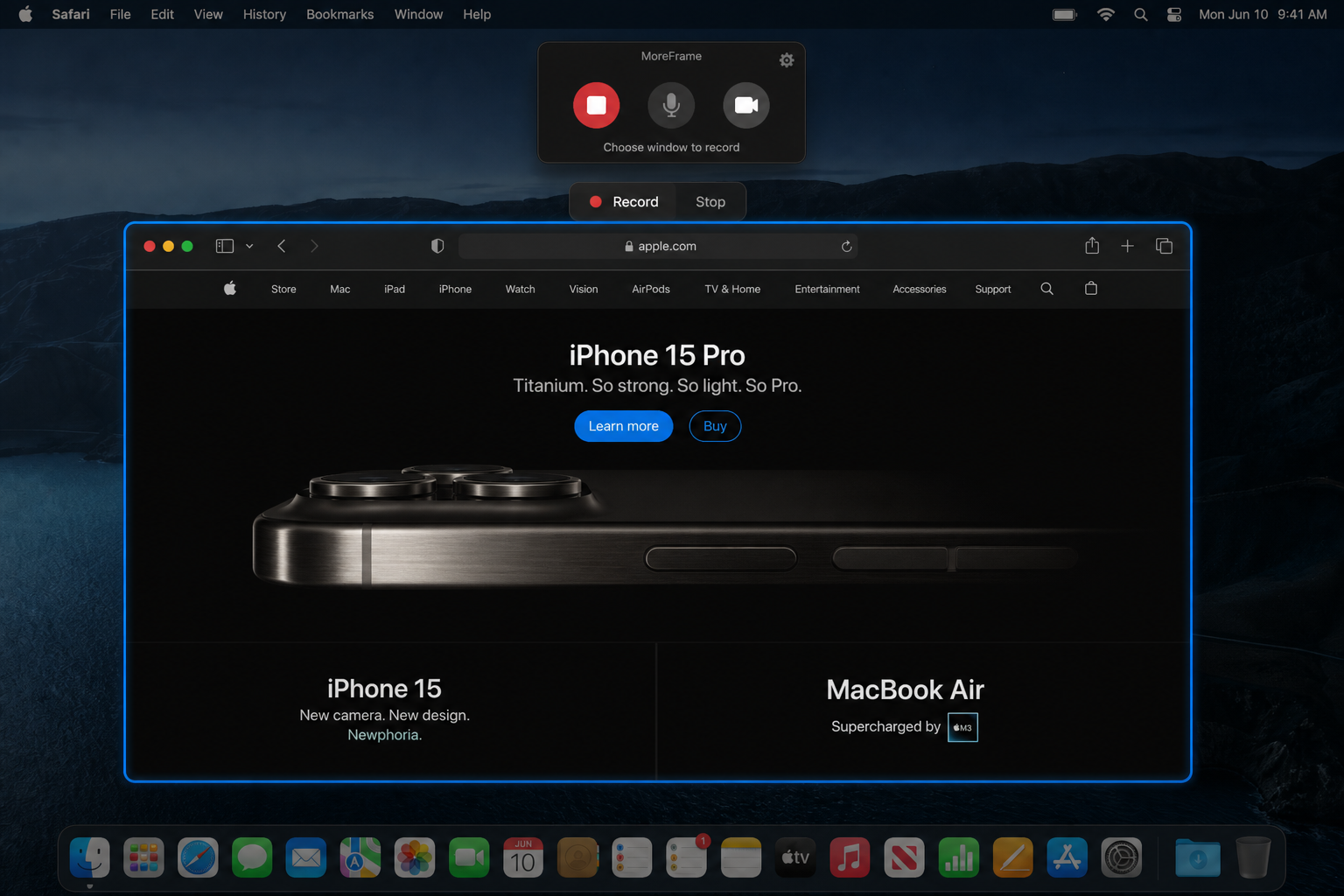
Click Record, open Window, and tap the app in the list. MoreFrame captures that window—not your wallpaper.
| Mode | Use it when |
|---|---|
| Window | One app, clean edges |
| Display | The whole desktop |
| Region | A panel or a slice of a huge monitor |
| iPhone / iPad | The device on USB (Direct). Trust This Computer. |
Microphone, camera, and system audio can ride along. After you stop, zooms and a polished frame are already on the timeline.
iPhone and iPad
Connect with a cable. Record the device screen onto the same timeline as the Mac. Put it in a frame, next to the desktop app, or as Main.
A second window
Record the product, then the docs. Place the second clip on the canvas. It stays video.
Native for macOS 14+
Record both screens. Finish here.
The complete editor is free to download. No account and no watermark.