 MoreFrame
Guide · Edit
Use the 3D camera and effects
Push in, orbit and drift through your layers, plus overlays and looks.
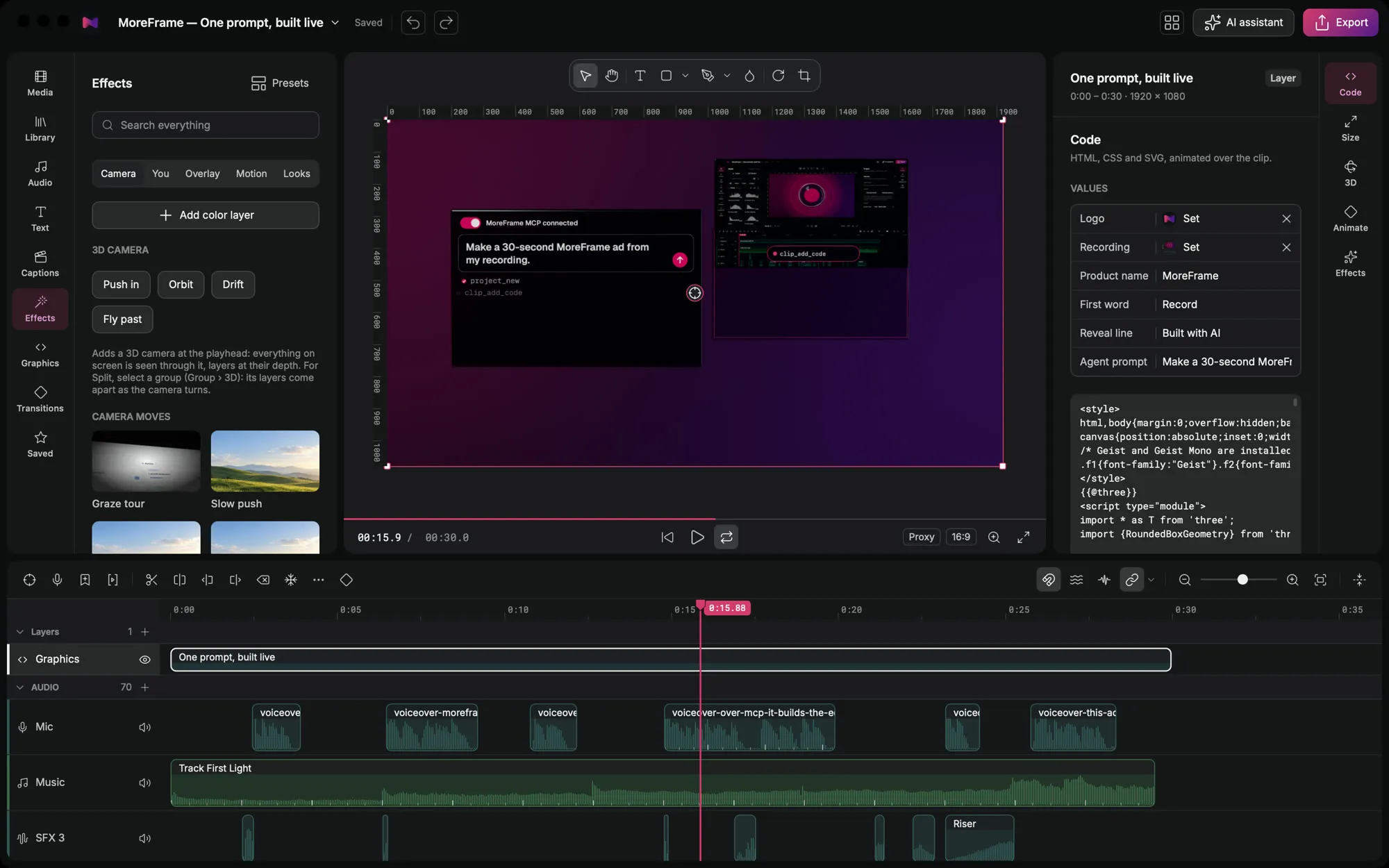
Effects add depth and movement. The 3D camera moves through your layers as if they were placed in space.
Add a camera move
- Open the Effects panel and go to Camera.
- Pick Push in, Orbit, Drift or Fly past. It's added at the playhead.
- Select it to change its length and strength.
More in Effects
- Overlay: light, grain and textures on top of your video.
- Motion: entrances, exits and moves for any layer.
- Looks: colour grades and LUTs, or a colour layer of your own.
- You: effects built around a person, such as a headline behind you.
Good to know
- Any layer can be tilted in 3D from the inspector's 3D tab.
- Spread layers apart in depth (Z) for a parallax effect when the camera moves.
- Lock a property so later edits, presets and agents leave it alone.