 MoreFrame
Guide · Motion graphics
Bring in an animated character
Characters that move and talk along with your voiceover.
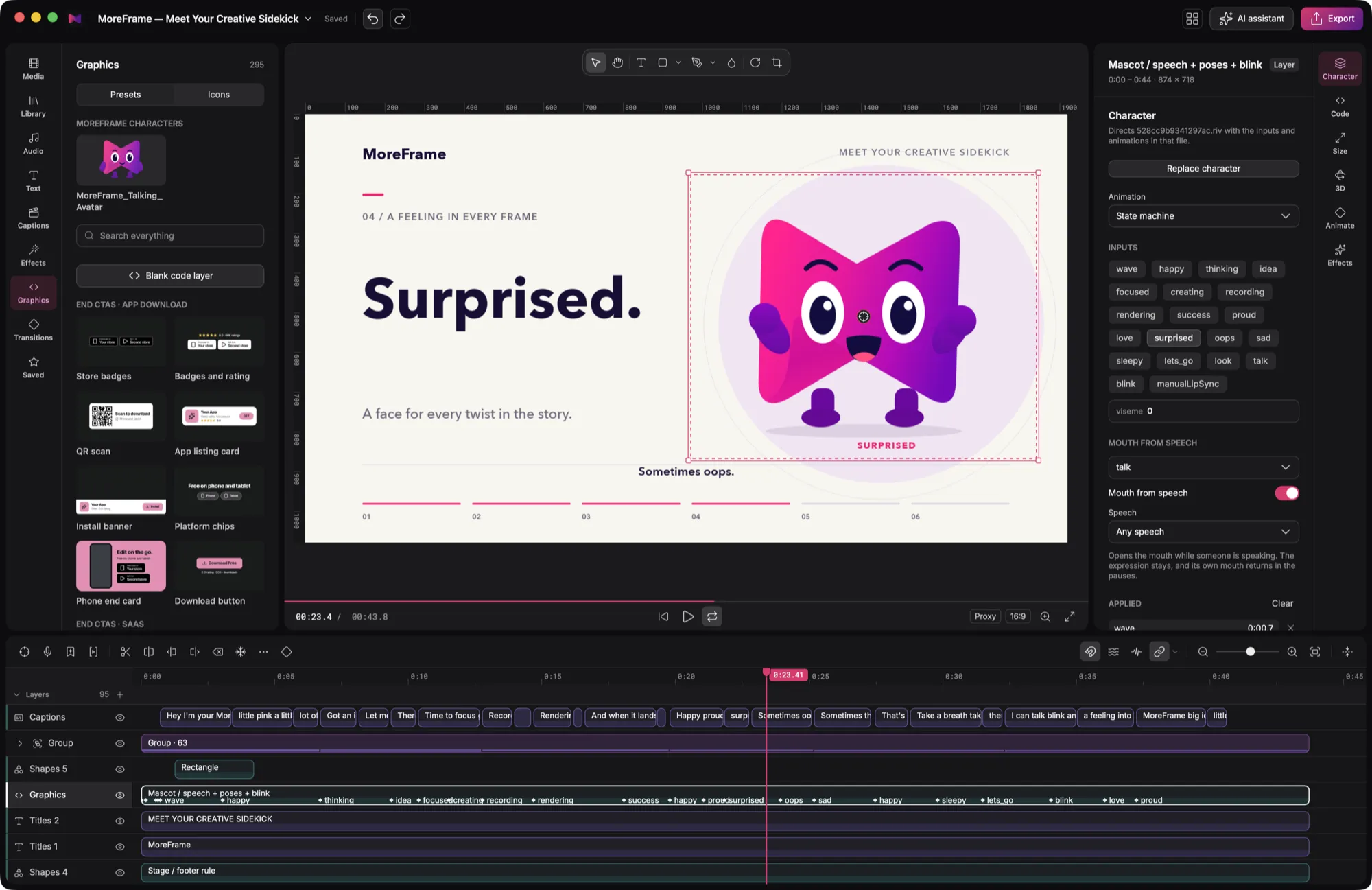
Animated characters bring a mascot or guide into your video. They're built with Rive and move with your voiceover.
Add a character
- Open the Graphics panel. Characters are at the top.
- Click a character to add it at the playhead.
- Select it. The inspector's Character tab shows its Animation (a state machine) and its Inputs: poses such as happy, thinking, surprised and proud.
- Turn on Mouth from speech and pick a speech track. The character talks during the loud parts of your voice.
Your own character
Not every Rive file will work: it needs one state machine, named controls, a talk mouth and everything embedded. Follow Make a Rive character that works before you import one.
Then add it to your brand kit's Characters so every project and your AI can use it.