 MoreFrame
Export for the web
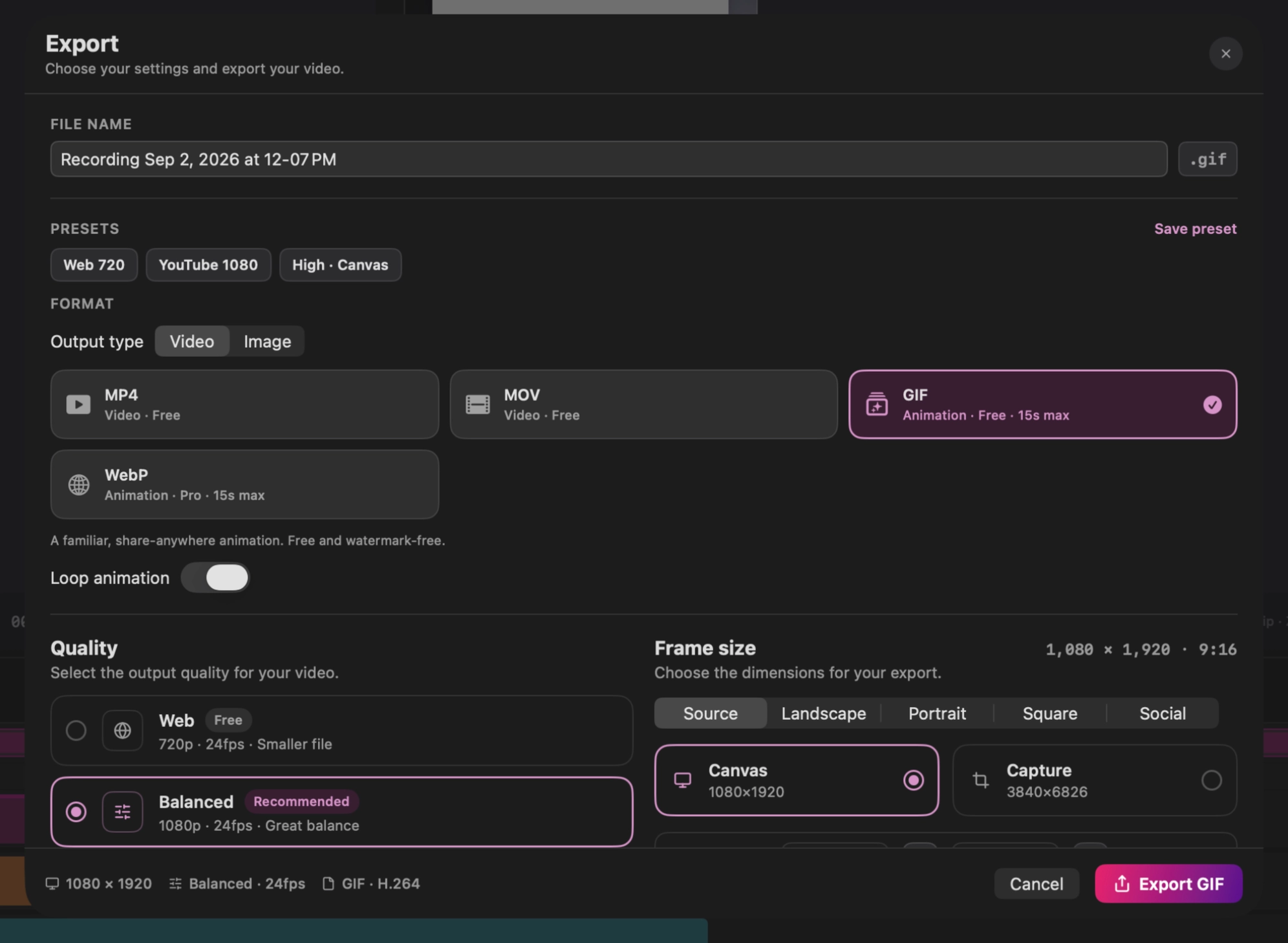
Open Export and choose the format directly from the format cards.
| Format | Output | Access | Best for |
|---|---|---|---|
| GIF | Animation | Free | Compatibility in chats, docs, and sites that expect GIF |
| AVIF | One still image | Free | A compact, high-quality image from the current playhead frame |
| WebP | Animation | Pro | Smaller full-color web animations when the destination supports WebP |
GIF and WebP export the active play area when one is set; otherwise they use the project range. Turn Loop animation on when the result should repeat.
The 15-second limit
GIF, animated WebP, SVG motion, and Lottie motion are limited to 15 seconds. If the project or active play area is longer, those format cards stay visible but disabled.
To export a shorter part:
- Set the play-area start and end around the moment you need.
- Keep the duration at 15 seconds or less.
- Turn on Export play area only.
- Choose GIF, WebP, SVG, or Lottie.
Use MP4 for longer motion, screen recordings, audio, or the smallest broadly compatible video file. AVIF does not animate; move the playhead to the exact frame you want before exporting it.