 MoreFrame
Record one window
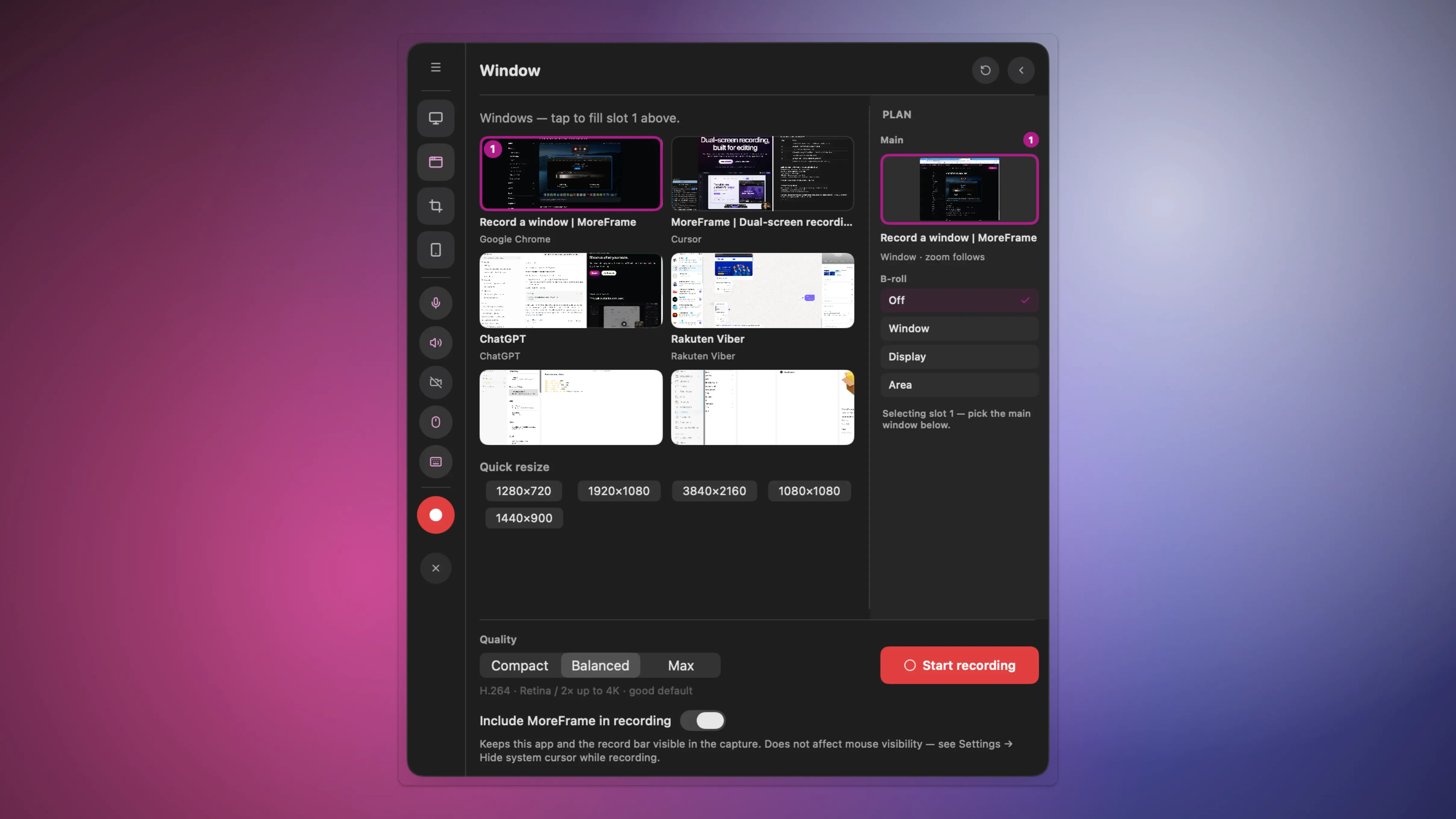
This is the default MoreFrame take.
- Click Record.
- Open Window and tap the app in the list. The preview fills Main (slot 1).
- Click Start recording.
- Click Stop recording when you are done.
Finish the window's layout before you start. Resizing it mid-take stretches the movie.
A second app belongs in its own B-roll slot, not in this capture.