 MoreFrame
Guide · Motion graphics
Edit a code graphic
Change the words, colours and pictures of a code graphic from the inspector.
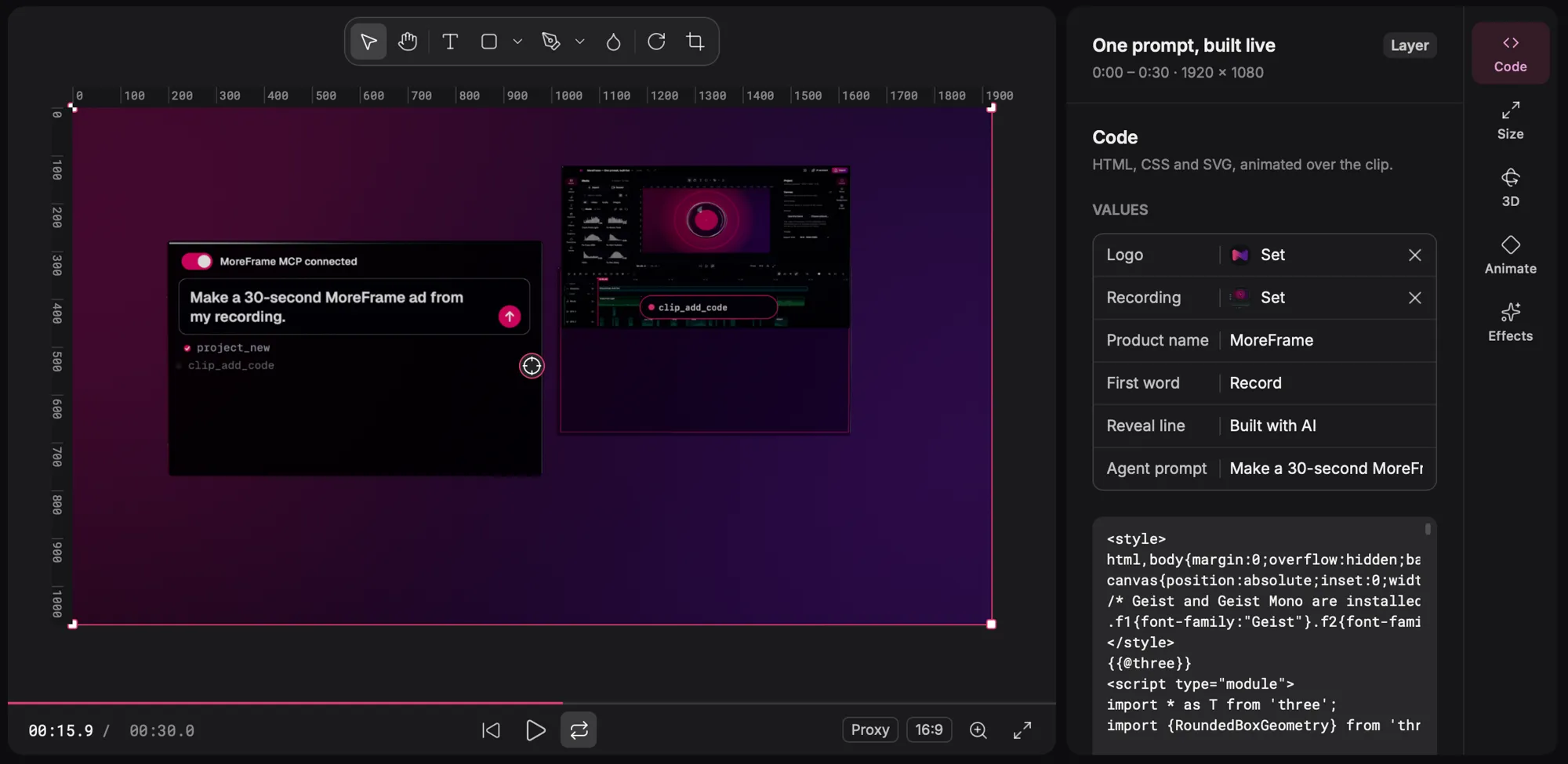
Some graphics are code layers: animated HTML, CSS and 3D drawn over your clip. You never need to touch the code to change them.
Change a code graphic
- Select the graphic on the timeline.
- In the inspector's Code tab, change its values: words, colours, logos and pictures.
- Press play to see the change. The motion stays the same.
Good to know
- Values have names such as Product name or Reveal line, so an AI agent can fill them too.
- Start from Blank code layer in the Graphics panel to build your own.
- Code layers export at full quality in every format, like any other layer.